
Office skills
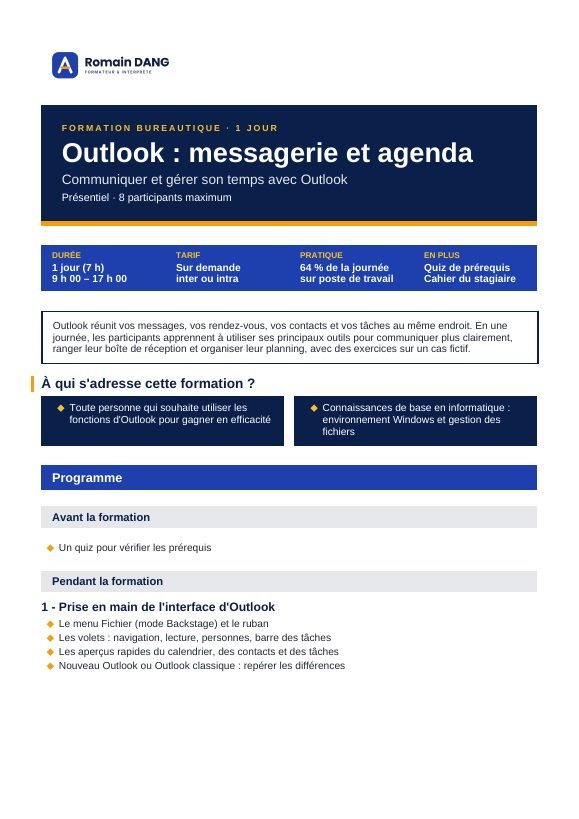
Outlook: email and calendar
Anyone who wants to use Outlook's features to work more efficiently.
← All courses · View the catalogue
1 day (7 h)
Anyone who wants to use Outlook's features to work more efficiently.
Course objectives
- Communicate effectively and organise your inbox
- Automate message handling with rules and an out-of-office message
- Manage your calendar, organise meetings and share your agenda
- Manage your contacts and tasks, and spot a fraudulent message
Programme for the day
- Getting to know the interface (35 min)
- Communicating with email (1 h 10)
- Organising your inbox (1 h 45)
- Organising your contact list (40 min)
- Using the calendar (1 h 45)
- Managing your tasks (20 min)
- Sending a message from Word or Excel (15 min)
- Recognising a fraudulent message (15 min)
- Final quiz and review (15 min)
How the course runs
- A practical case at every step, to learn by doing.
- Materials given to each participant, usable after the course.
- Content adapted to your tools, your jobs and your level.
- A clear starting point and finish line: you know what you will be able to do.
In person · 8 participants maximum · 64% of the day is hands-on
Prerequisites
Basic computer skills: Windows environment and file management. A quiz lets you check the prerequisites before the course.
Key strengths
- About 64% of the day spent practising, on a fictional running case
- Exercises: sending messages, attachments, sorting rules, contacts, planning a meeting
- Tips and tricks for everyday professional use
- A trainee workbook given to every participant
- A group of 8 people maximum for individual support
Assessment
- During the course: exercises corrected live and role-plays
- Final 10-question quiz and review of the day
- Certificate of completion
Going further: a second day, “Advanced Outlook”, covers collaboration, archiving, security and automation.
Outlook: save time and get organised →
What you receive
Every trainee leaves with a trainee workbook, the exercise files with their solutions, and quick-reference sheets to keep at hand. Everything remains usable after the course.
Duration and content adapted to your level, your sector and your schedule.
A question about this course?
Reply within 48 working hours. Free quote, no obligation.