
Office skills
PowerPoint, from beginner to intermediate level
Anyone who produces presentations: team meetings, steering committees, business reviews, sales pitches, internal training.
← All courses · View the catalogue
3 days (21 h)
Anyone who produces presentations: team meetings, steering committees, business reviews, sales pitches, internal training.
Course objectives
- Frame your message and structure a presentation in Outline view and sections
- Format text and shapes legibly and consistently, even from the back of a room
- Define a theme and a slide master to keep to a brand template without reformatting
- Present figures, diagrams and images clearly
- Create dynamic transitions (Morph, Zoom) and restrained animations
- Present in Presenter view on time and share in the right format
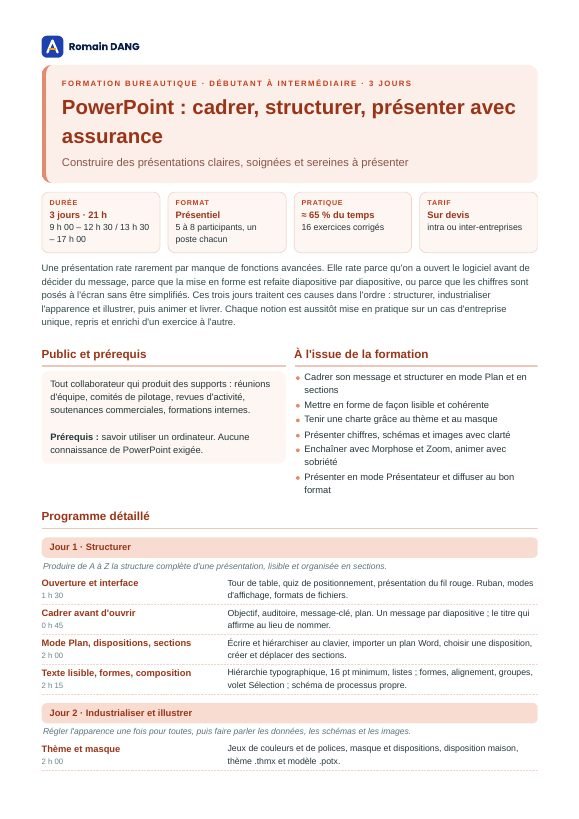
Programme for the three days
- Day 1 · Welcome, interface and files (1 h 30)
- Day 1 · Frame the message before opening the software (45 min)
- Day 1 · Outline view structure, layouts and sections (2 h)
- Day 1 · Legible text, shapes and composition (2 h 15)
- Day 2 · Slide theme and master (2 h)
- Day 2 · Tables, charts and linking with Excel (1 h 15)
- Day 2 · SmartArt, images and icons (2 h)
- Day 2 · Workshop: redesign a cluttered slide (1 h 15)
- Day 3 · Morph transition and Zoom effects (2 h 30)
- Day 3 · Restrained animations, Presenter view, export and sharing (2 h)
- Day 3 · Assessed running case and closing (2 h)
How the course runs
- A practical case at every step, to learn by doing.
- Materials given to each participant, usable after the course.
- Content adapted to your tools, your jobs and your level.
- A clear starting point and finish line: you know what you will be able to do.
In person · 5 to 8 participants · one computer per trainee · about 65% of the time is hands-on
Background and challenges
A presentation rarely fails for lack of advanced features. It fails because the software was opened before the message was decided, because formatting is redone slide by slide, or because figures are put on screen without being simplified. These three days address those causes in order: structure first, then standardise the look and illustrate, finally animate and deliver.
Prerequisites
Able to use a computer (files, folders, keyboard, mouse). No prior PowerPoint knowledge required.
Key strengths
- A single running case: a fictional company's quarterly business review, picked up and built on from one exercise to the next
- About 65% of the time spent practising, with sixteen exercises corrected in class
- A starting file for each exercise: you always restart from a sound base
- A step-by-step guide to redo the exercises alone, and editable course material
- A group of 5 to 8 people, one computer per trainee
Assessment
- Placement quiz at the start and end of the course, flash quiz each evening
- Running case assessed out of 25 points (pass mark: 15 points)
- Satisfaction questionnaire and certificate of completion
Materials given to trainees
- Editable PowerPoint course material, legible when projected, detail in the notes
- Illustrated step-by-step guide to redo the sixteen exercises alone
- Starting files, backup files, solutions and the running-case Excel workbook
- Pre-sharing checklist and running-case assessment grid
Required version: PowerPoint 2019, Microsoft 365 or later (Morph transition and Zoom effects). With an earlier version, day three is adapted; this is checked with the client before the session.
What you receive
Every trainee leaves with a trainee workbook, the exercise files with their solutions, and quick-reference sheets to keep at hand. Everything remains usable after the course.
Duration and content adapted to your level, your sector and your schedule.
A question about this course?
Reply within 48 working hours. Free quote, no obligation.